Freelancer.com vs Upwork Which is Better for Freelancers?
Freelancer.com vs Upwork: Compare fees, user ratings, categories, and key features.

Freelancer.com and Upwork both connect freelancers with clients, but the experience differs significantly. Competition, pricing, and workflow all play a role. Choosing the right platform can save time and effort. You don’t have to try anyway. This article will give you the comparison you’re looking for more quickly.
Welcome to the Freelancer.com vs Upwork debate!
What is Freelancer.com?

Freelancer.com is a popular freelance marketplace where freelancers and clients meet.
How does it work?
Freelancer.com has two account types: freelancer and client
- As a freelancer , you can register for free. Then showcase your portfolio and send proposals to client requests.
- As a client , you can also sign up for free. Then post a project request and get bids from dozens of freelancers.
Is the deal done? Now the project needs to be delivered within the specified time. After that, the payment will be transferred to the freelancer.
How can you join?
First, go to the website and click on “Earn Money Freelancing.” Create an account. You can link directly to your Google or Facebook account.
After you create an account, you can create your professional profile.
- Add a profile photo.
- Specify industry experience.
- Showcase your portfolio.
Quick Freelancer.com statistics
- 79 million+ users
- Active in 247 countries
- 2,700+ service categories
- 36.88% of users aged 25-34
- 38.83% female and 61.17% male
- Average 41 bids for projects
What is Upwork?
Upwork is one of the best freelancing sites and one of Freelancer.com’s biggest competitors. It connects corporate/individual clients and specialized freelancers.
How does it work?
Upwork is built on a bidding system. There are also 2 account types here: freelancer and client. Sign up for both without any fee.
- If you are a freelancer , make a bid.
- If you are a client , post a project.
Upwork has hourly/project-based jobs. However, freelancers can create fixed-price service pacts. Here to see: Project Catalog
How can you join?
Upwork has no registration fee. With simple steps, you can create an account as both a freelancer or a client.
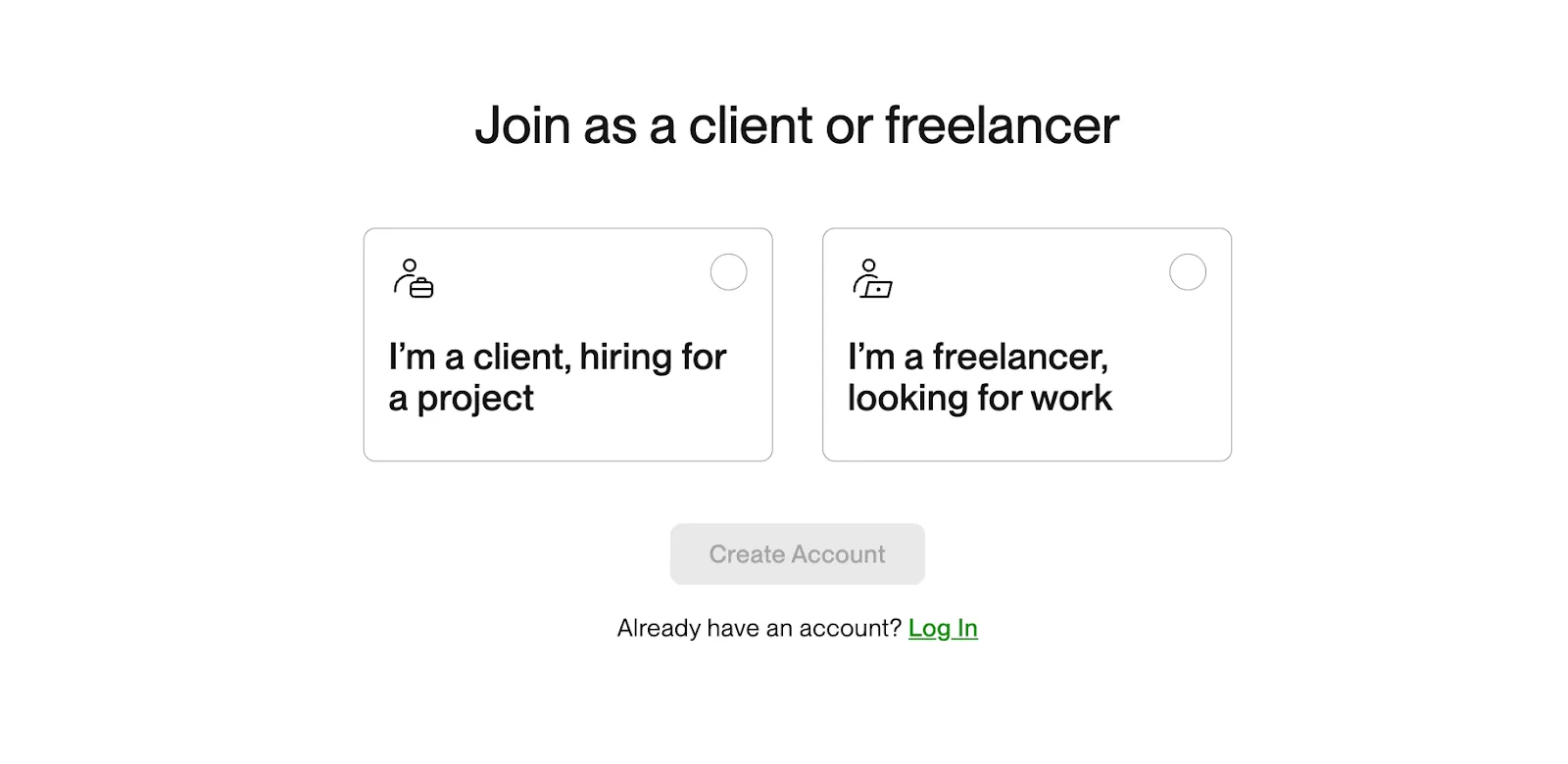
After joining, you’re able to strengthen your profile by adding photos, portfolio, and work experience.
Quick Upwork statistics
- 18 million freelancers
- 841,000 active clients
- Active in 180 countries
- 125+ service categories
- Annual client spending $4.14B
Freelancer.com
Freelancer.com only has a bidding system. However, you can work hourly and project-based.
Bidding
When you find a suitable job on the project page, you should read the detailed description. Project details include total budget, deadline, and description.
If you wish to apply,
- Enter the bid price (Ex: $250)
- Specify days for delivery (Ex: 3 days)
- Explain your proposal (Why are you suitable for this job?)
Bidding cost
Freelancers have the right to submit 8 bids per month. For more, the plan should be upgraded.
- Basic Plan: $4.99/month for 50 bids
- Plus: $9.99/month for 100 bids
- Professional: $49/month for 300 bids
- Premier: $99/month for 1500 bids
Upwork
On Upwork, projects can be opened in one of two formats:
- Hourly
- Project-based
Also, two ways to make money:
- Undertaking projects through bidding, and
- Selling fixed-price service packages.
Bidding
Sending proposals is the most popular way to get work on Upwork.
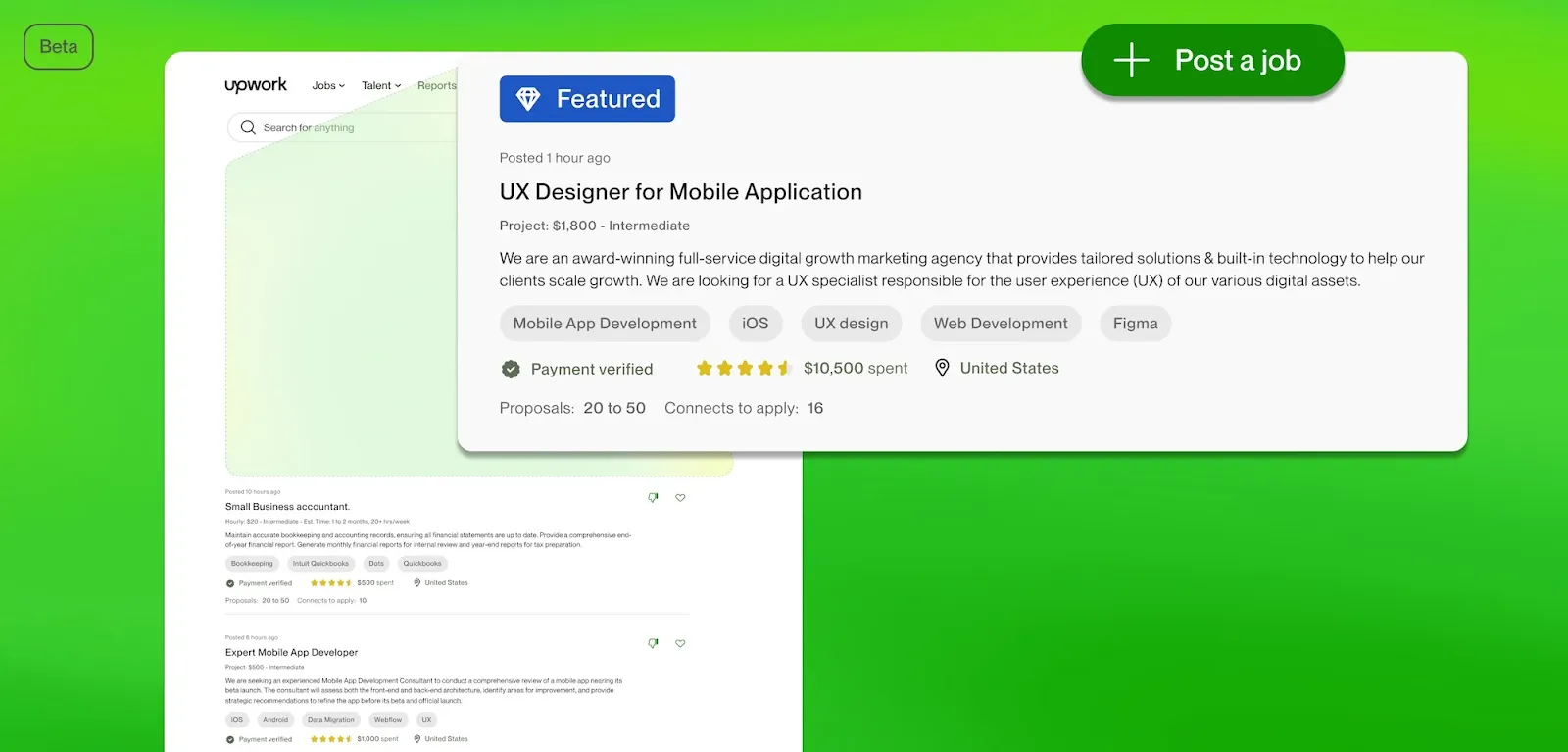
The client publishes a post with a request (delivery time, project fee, and details). As a freelancer, you send a notification with your own proposal.
So is every post safe? Probably not. Look for “Payment verified” in a project request on Upwork.
In addition, you can view the client’s rating and reviews.
Bidding cost
“Connects” are necessary for making bids. You are provided with a number of free Connects when you first start.
For more, you need to buy Connects:
- 10 connects for $1.50
Project Catalog
Want to post once and sell your service over and over? Upwork’s Project Catalog makes it possible.
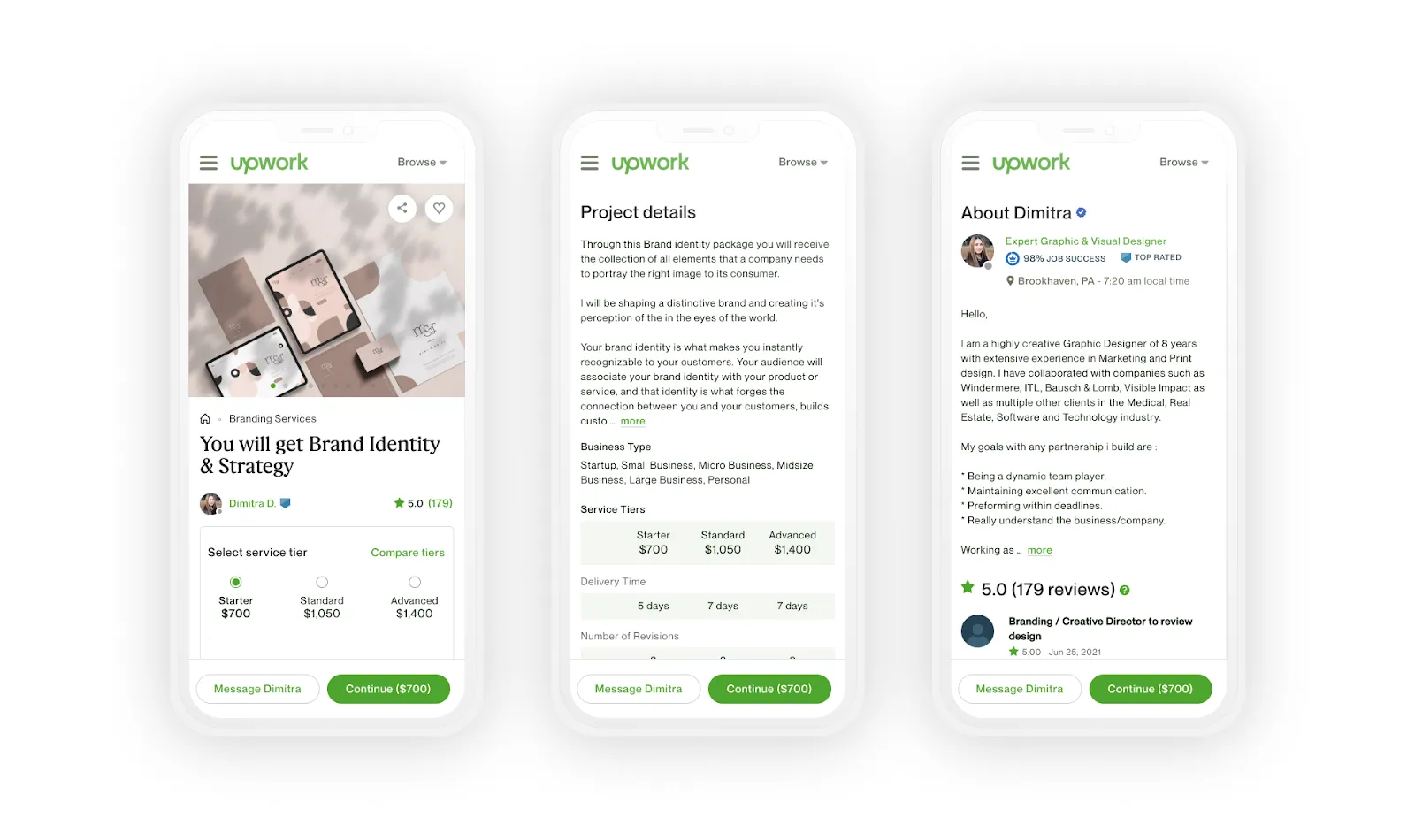
You can think of it as a package of services that can be sold over and over again.
For example,
- “Logo design - $500 - 4 days delivery”
If the client purchases your service package, you must complete and deliver the project within the deadline you specify.
Payment structure & fees
Freelancer.com and Upwork both have in-site payment management. But both take a 10% commission. This means: You lose 100 dollars of your 1000 dollars.
Freelancer.com
How to get paid?
As a freelancer, after completing a project on Freelancer.com, you should wait for the client’s approval. Your money will be transferred to your Freelancer.com account upon approval.
Then you can withdraw your money by choosing one of the payment methods.
Payment methods for a freelancer
- Bank wire transfer - min $500 (5-6 days)
- PayPal - min $50 (If available in your country)
- Skrill - min 50 GBP - (only EUR and GBP)
Important note: The payment method may change according to the country you live in. When making a withdrawal, please check accordingly.
Payment protection
- If the employer agrees to the project—Immediately paid.
- If the employer fails to approve the project—Payment will be made automatically within 14 days.
Freelancers.com cares about safe payment processes for freelancers and clients. Therefore, if you have a problem, you have the right to dispute.
Disputes
Have you encountered any wrongdoing? Or is the other party behaving inappropriately? You can start a dispute.
Go to the “Dispute” section on the project page and explain the dispute. In order to make the fairest decision, Freelancer.com officials will intervene.
Upwork
How to get paid?
Payment duration changes according to working type;
- Hourly: Sunday is billing day. 10 days after approval, then your money is available.
- Project-based: 5 days after project approval.
- Project catalog: 5 days after project approval.
If the customer forgets to confirm your payment, Upwork will auto-confirm within 14 days.
If you find it difficult to manage your payments manually, you may like the Direct Debit feature. This way, your payments are transferred to your bank account regularly.
Payment methods for a freelancer
Upwork’s common payment methods:
- Instant payment for U.S. - $2 per wire transfer
- Outside USA to local bank - $0.99 per transfer
- US wire transfer - $50 per transfer
- M-Pesa (Kenya only)
- Payoneer
- PayPal
Disputes
You can open a dispute as a freelancer or as a client. The Upwork team will review your issue and take action to resolve it.
Payment protection
When a client makes payment, Upwork holds the money. After the client approves the project, the money is sent to the freelancer.
However, if the client does not approve the project, the money is released after 14 days. This creates a system that protects the rights of both the freelancer and the client.
Platform fee
Freelancer.com and Upwork do not charge for registration. However, if you complete a project, a fee is deducted from your earnings. Likewise, if you are a client, a minimal fee is taken from the fee you pay
If you are a freelancer, there is no fee difference. But if you are a client, Freelancer.com fee is lower with a minimal difference.
Another option is to find your clients through your network and get paid using Ruul _. _
Ruul offers a wide range of payment options, including bank transfers, credit card payments, and cryptocurrencies. With Ruul, you pay only** a commission fee starting from 2.75%**, which makes a big difference compared to Freelancer.com and Upwork.
Types of clients & project size
Your experience as a freelancer and the size of your business as an employer will determine which platform you choose.
Freelancer.com
For quick jobs and smaller budgets, Freelancer.com is a good choice. You can target smaller, more frequent jobs, simply because the job rotation is intense.
Client types
- Start-ups and low-budget project seekers
- Small and medium business
- Individual Entrepreneurs
Project size
- Typically small and medium projects.
- One-off jobs or short-term projects are common.
Upwork
Upwork has a more corporate structure than Freelancer.com. In particular, if you are an experienced freelancer, you may want to choose Upwork for high quality work.
Some of the large companies that prefer Upwork:
- Microsoft
- Airbnb
- Bissel
- Cloudflare
- Automattic
Client types
- Corporate businesses
- Professional employers
- High-budget customers
Project size
- Both small and large scale projects are available.
- Long-term projects and permanent positions are common.
Competition
Competition can be understood in terms of the number of users.
- Freelancer.com has 50 million freelancers
- Upwork has 18 million freelancers
Numbers speak. Freelancer.com is really crowded… Earlier, as I told, on Freelancer.com an average of 41 bids are made for projects.
This doesn’t make Freelancer.com a naughty site. But still keep in mind that competition will make it harder to find work.
Number of clients
We also need to look at the number of clients.
Number of clients on Upwork (Last updated 2023)

Number of clients on Freelancer.com (including freelancers)

Flexibility & workload control
Both Freelancer.com and Upwork have flexible solutions that facilitate freelancers’ workflow.
Messaging system: Thanks to the messaging panel, you can share information through the site.
Availability badge: You can also set your working hours on Upwork. This helps you control your workload.
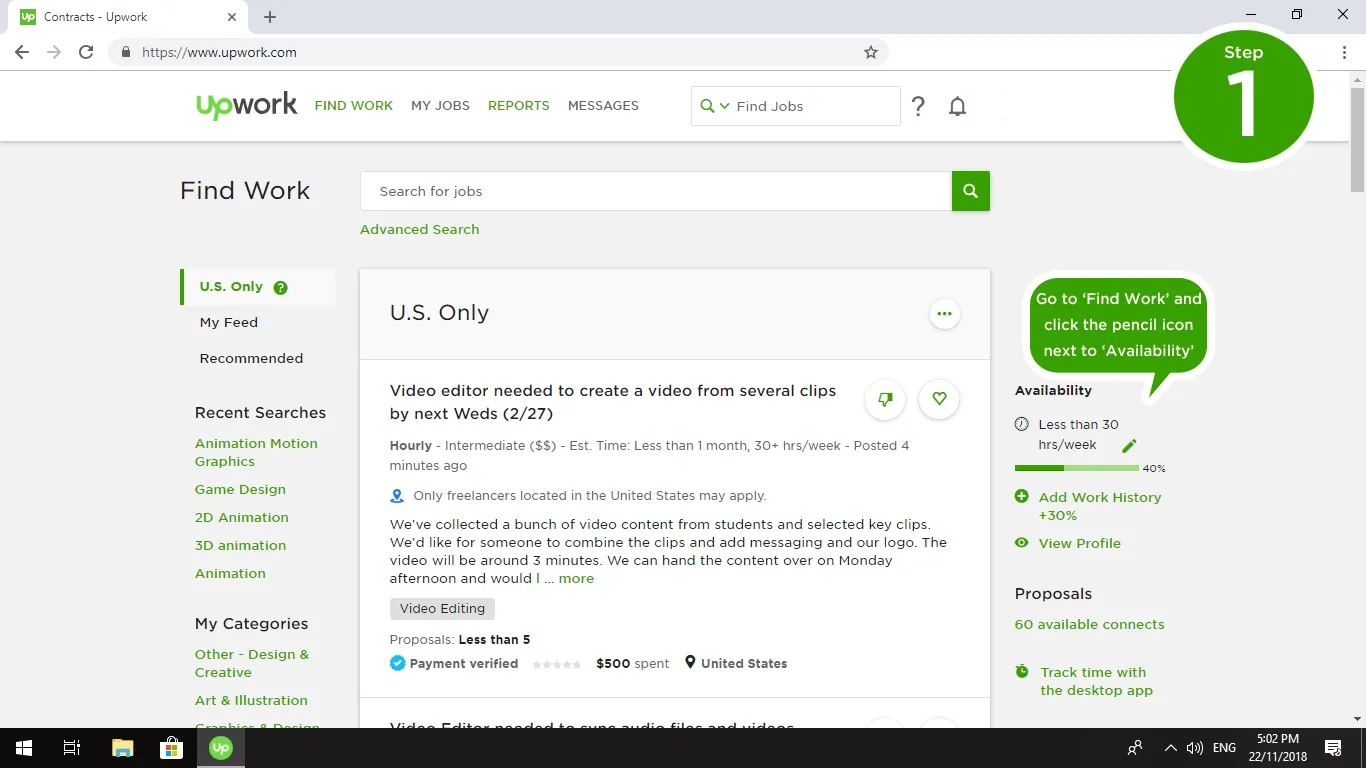
Don’t forget to add an availability badge to your profile so employers can see your availability.
Payment system: Freelancer.com and Upwork manage payments. However, they charge a fee + withdrawal commission from the client and the employer.
AI features
Another place where AI has come into play. We are at the point where we compare Freelancer.com and Upwork’s AI capabilities.
Upwork’s UMA AI
UMA AI is a new feature that helps both clients and freelancers.

How does it help users?
- If you are a freelancer, you can use UMA to write proposals, ask for project details, and get suggestions on how to write better proposals.
- If you are a client, you can make an automatic evaluation with UMA AI instead of manually reviewing the bids that come to your project.
UMA AI is integrated into Upwork with a modern interface. It already seems to be a favorite.
Is UMA AI paid?
You have limited weekly usage if you use the free version. You can purchase the Freelancer Plus plan for more.
Freelancer.com AI
Freelancer.com, like Upwork, has an AI feature that makes it easier to write proposals. But to use it, you need to upgrade to a monthly PLUS subscription for $9.99.
How does it help users?
The proposal text is the most important factor in getting a job after your profile. Therefore, proposal writing with AI is a savior for people with poor writing skills.
Freelancer.com also says that writing proposal copies with AI increases your chances of getting hired by 15%.
User reviews
Reviews say a lot. Now, let’s hear about Upwork and Freelancer from the users.
What do users say about Freelancer.com?
- G2 user rating: 3.7
Positive reviews
- High reliability and worldwide accessibility.
- It offers a wide range of job opportunities.
- The review system helps to build trust.
- Cost-effective solutions can be found.
- It has an easy-to-use interface.
Negative reviews
- Platform fees are too high for small businesses.
- The platform can make unfair fee deductions.
- The support team often ignores complaints.
- It is very difficult for new users to find work.
- User accounts can be closed suddenly.
- Offers are often vague and unrealistic.
- It is hard to find reliable people.
- Fraud cases are frequent.
Source of comments:G2
What do users say about Upwork?
- G2 user rating: 4.6
Positive reviews
- Possibility to work with clients from different sectors.
- Successful website and mobile app.
- Payments reported to be secure.
- It has a modern and useful feel.
- Support service is adequate.
Negative reviews
- Obligation to buy “connections” is criticized.
- Upwork’s profit motive has increased.
- Regional job posting access issues.
- High competition and low quality.
- Full screen issues for Mac users.
- High fees for beginners.
Source of comments:G2
Mobile app user rating
Your PC isn’t always at your knees so the mobile experience matters. Luckily, Freelancer.com and Upwork have iOS and Android apps.
But do the apps work well? Comparison of user ratings in app stores:
App Store:
- Freelancer.com - 4.7
- Upwork - 4.6
Google Play Store:
- Freelancer.com - 4.0
- Upwork - 3.9
Which one is better for you?
Freelancer.com and Upwork are two of the most popular platforms for freelancers. Both seem similar, but actually differ in a few important ways.
- Freelancer.com is a good choice for small to medium sized projects. Especially for those looking to work faster and on a smaller budget. However, there are so many users on the platform. Competition is high.
- Upwork is more suitable for large companies and long-term projects. The platform tends to offer jobs with higher budgets and is preferred by more professional employers. Upwork also allows you to offer fixed-price service packages.
Both platforms charge a 10% commission and payment transactions are managed securely. However, Upwork has a higher user rating (4.6) and the rate of finding a job on the platform is generally higher.
In summary, Freelancer.com may be a better option for small jobs and quick projects, while Upwork may be a better option for long-term and large projects.
If you are hiring freelancers
We have business and individual employers in mind. How to hire freelancers on Freelancer.com and Upwork:
Hiring with Freelancer.com
You can immediately create a client account on Freelancer.com’s membership page by clicking on “Hire a freelancer ”.
Next, you will need to create a project request. You can create the project on an hourly or project basis.
Provide details:
- Project title
- Project description
- Delivery time
- Total project budget
Wait for freelancers to send offers.
The offer includes:
- Freelancer’s project completion time
- Freelancer’s requested rate
- Freelancer’s offer description
Afterwards, you can easily hire someone from dozens of offers.
Hiring with Upwork
To hire freelancers on Upwork, create a client profile. Then follow similar steps on Freelancer.com. After creating a project request, you will receive a lot of offers.
Quick freelancer analysis with UMA AI
UMA AI provides a very unique convenience for clients. Have you received offers from 40 freelancers? You can leave the analysis to UMA.
It does all the analysis and compares freelancers. Thus, it saves clients the trouble of going through candidates’ profiles one by one.
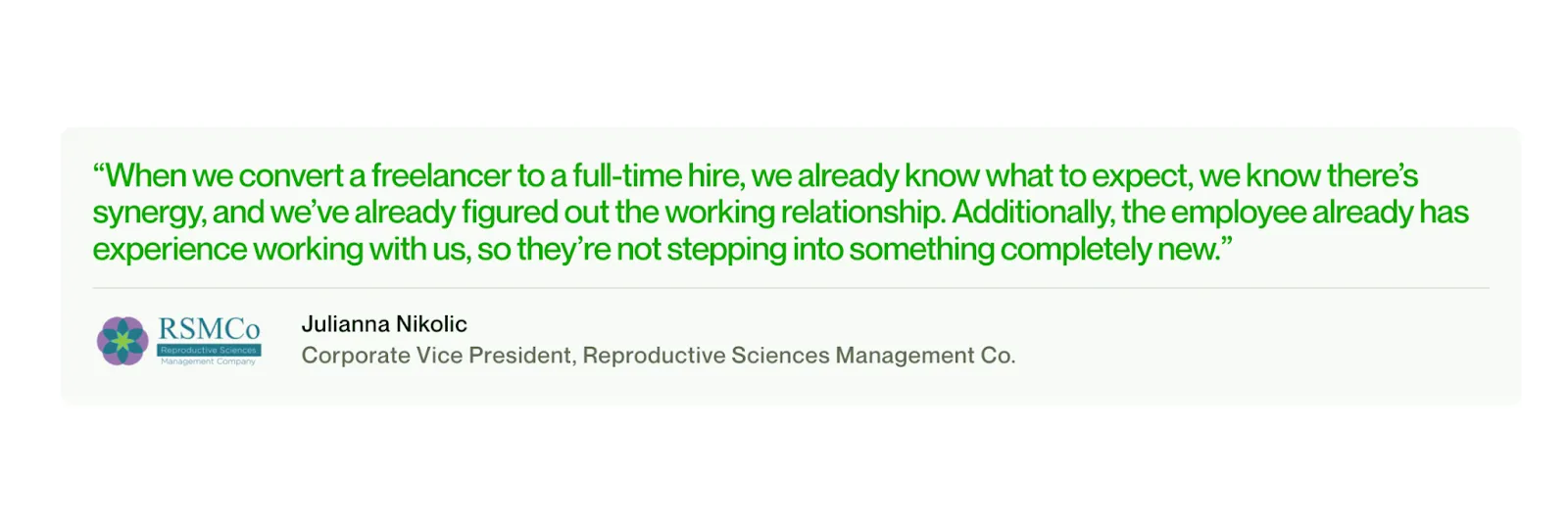
Full time hiring
If you have a good deal with a freelancer, you can make a full-time contract on Upwork. And companies like Airbnb and Microsoft already find the best talent here.
Frequently asked questions
Which site is better than Upwork?
Although it is a controversial issue, there are users who say that Freelancer.com is better than Upwork in terms of job range. User experience is more important for an accurate comparison.
Is Upwork the same as Freelancer?
No, they are not. Even though they are used for the same purpose, their systems and user bases are different. So it would not be accurate to say that Freelancer.com and Upwork are the same thing.
Which is better, Freelancer.com or Upwork?
From a commission perspective, Freelancer.com and Upwork are the same. But there are significant differences in the user experience. Most users argue that Upwork has a more modern and innovative system.